
Getting Started
IDE Setup
Setup your AI IDE and agent to help you ship faster with Cortex
Cursor
Cursor is an AI-powered code editor that can significantly accelerate your development with Cortex. Here's how to set it up optimally.
Index Documentation
Cursor can index documentation, making it easy to ask questions about Cortex and get contextual answers while coding.
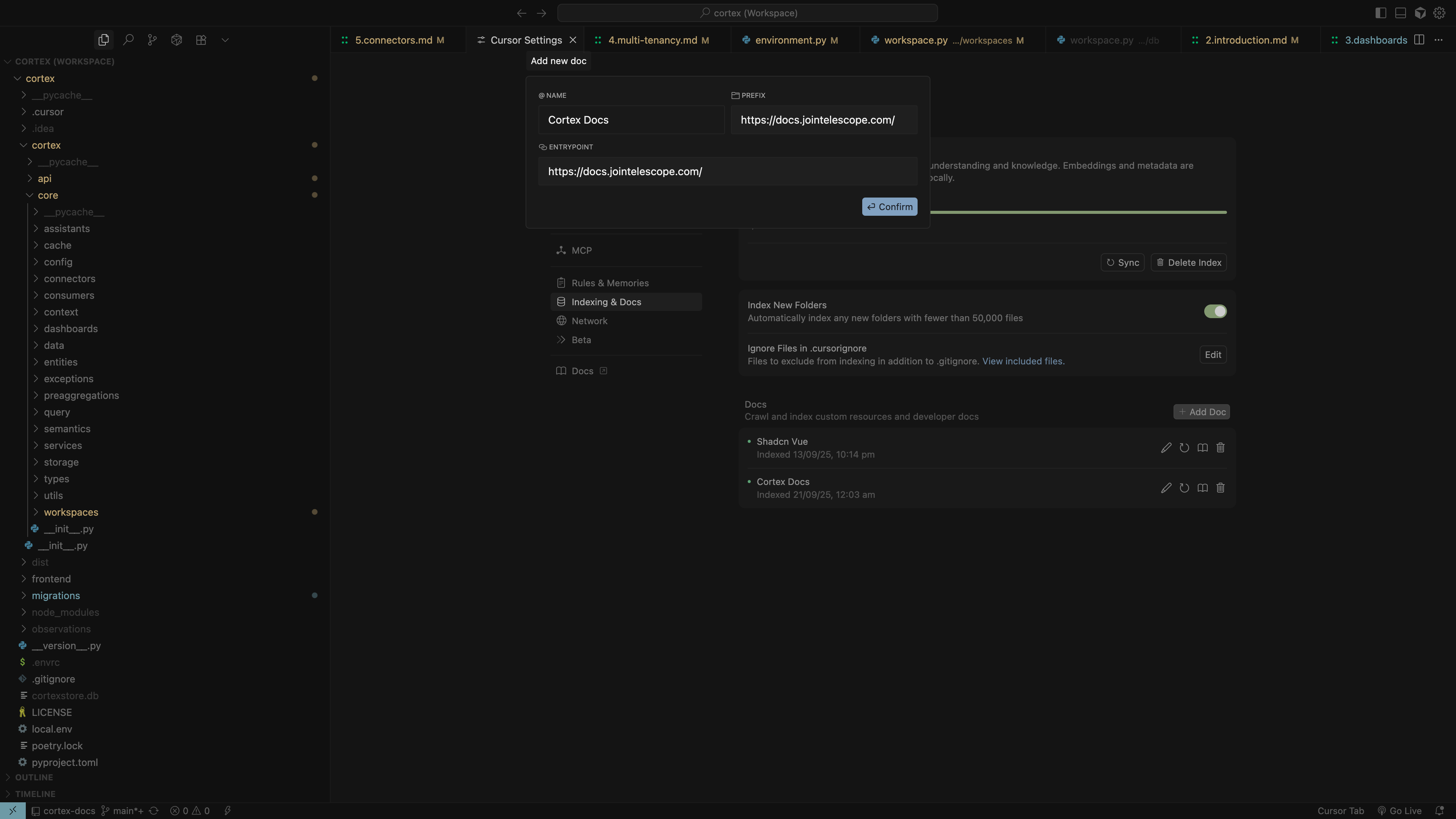
To index Cortex documentation:
- Open Cursor Settings (Cmd/Ctrl + Shift + J)
- Navigate to "Indexing & Docs" → "Add Doc"
- Add the Cortex documentation URL:
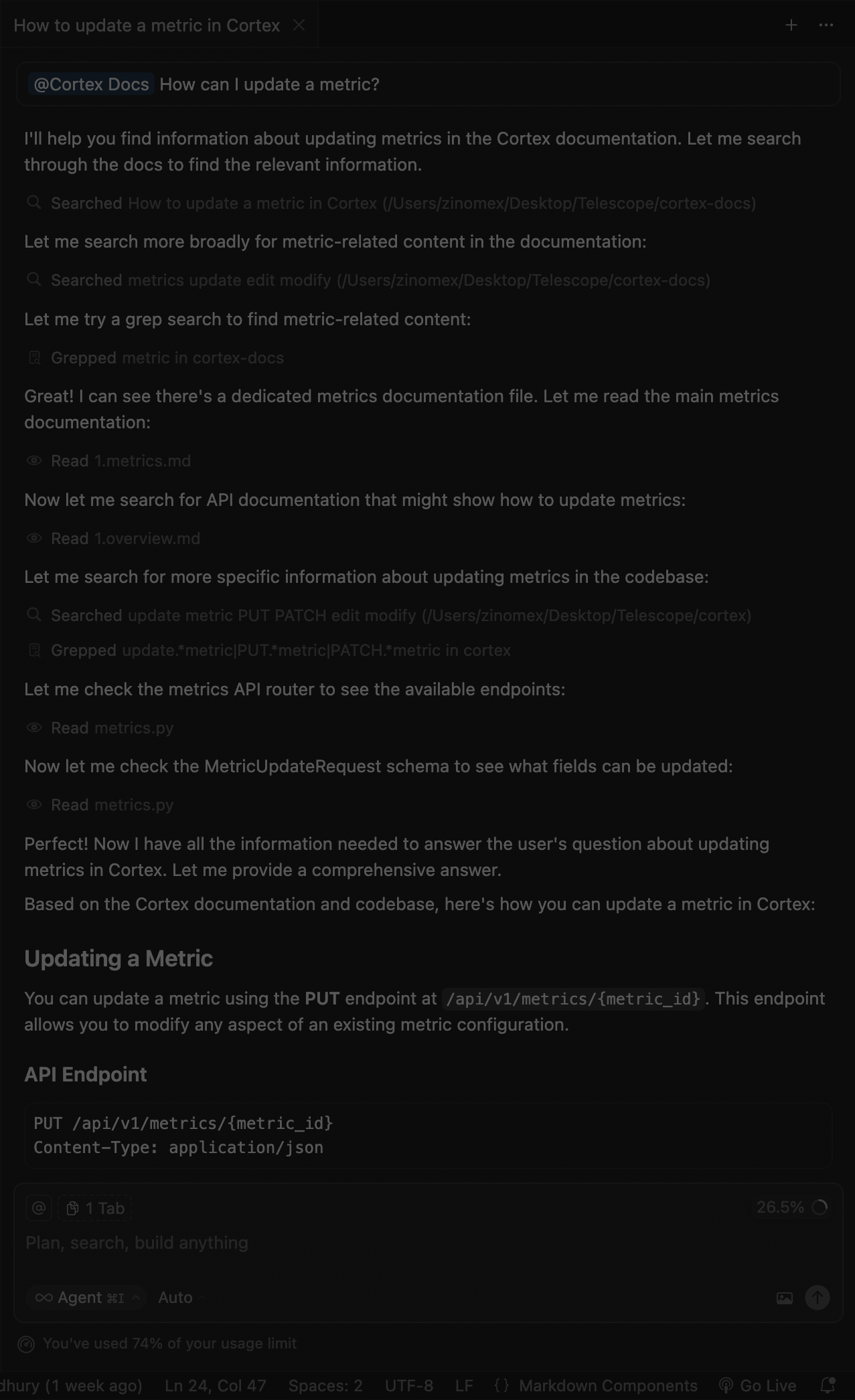
Once indexed, you can ask questions directly in the chat!
Optimize Cursor with Custom Rules
To get the best experience building with Cortex, add custom instructions to Cursor's AI system. This helps the AI understand Cortex's patterns and best practices.
 Configuring custom rules in Cursor settings
To add custom rules:
- Open Cursor Settings (Shift + Cmd/Ctrl + J)
- Go to "General" → "Rules for AI"
- Add the appropriate prompt below based on your language
Below is a list of Cortex documentation. Use your web and fetch capabilities to read the documentation you need.

[Cortex Documentation](https://docs.jointelescope.com)

- [Introduction](https://docs.jointelescope.com/getting-started/introduction): Welcome to Cortex - a lightweight, modular analytics platform with semantic layer for unified data access.
- [Installation](https://docs.jointelescope.com/getting-started/installation): Install and set up Cortex analytics platform.
- [Project Structure](https://docs.jointelescope.com/getting-started/project-structure): Overview of the Cortex project directory structure and key components.
- [Architecture Overview](https://docs.jointelescope.com/architecture/overview): Learn about Cortex's layered architecture and core components.
- [Semantic Layer](https://docs.jointelescope.com/architecture/semantic-layer): Understanding the semantic abstraction layer for business metrics.
- [Query Engine](https://docs.jointelescope.com/architecture/query-engine): How Cortex translates semantic definitions into optimized queries.
- [Multi-Tenancy](https://docs.jointelescope.com/architecture/multi-tenancy): Hierarchical organization with workspaces, environments, and consumer groups.
- [Storage](https://docs.jointelescope.com/architecture/storage): Database connectivity and integration patterns.
- [Measures](https://docs.jointelescope.com/semantics/measures): Define quantitative metrics and calculations.
- [Dimensions](https://docs.jointelescope.com/semantics/dimensions): Set up categorical data for grouping and filtering.
- [Joins](https://docs.jointelescope.com/semantics/joins): Configure table relationships for cross-table metrics.
- [Filters](https://docs.jointelescope.com/semantics/filters): Add conditional filtering to your metrics.
- [Sorting](https://docs.jointelescope.com/semantics/sorting): Define how to sort values in semantic metrics.
- [API Overview](https://docs.jointelescope.com/api/overview): REST API endpoints and integration patterns.
- [Studio Overview](https://docs.jointelescope.com/studio/overview): Visual interface for configuring workspaces, data sources, and metrics.
- [Developer Guide](https://docs.jointelescope.com/studio/developer-guide): Building custom interfaces and extending Studio.
- [Core Concepts](https://docs.jointelescope.com/studio/core-concepts): Understanding Studio's component architecture.
- [Component Patterns](https://docs.jointelescope.com/studio/component-patterns): Reusable UI patterns and best practices.
- [API Integration](https://docs.jointelescope.com/studio/api-integration): Connecting Studio components to Cortex APIs.
- [UI Components](https://docs.jointelescope.com/studio/ui-components): Available UI components and their usage.
- [Data Flow](https://docs.jointelescope.com/studio/data-flow): How data flows through the Studio interface.
- [Development Setup](https://docs.jointelescope.com/development/setup): Local development environment configuration.

When working with Cortex:

1. **Semantic Layer First**: Always think in terms of business metrics, measures, and dimensions rather than raw SQL
2. **Type Safety**: Use Pydantic models extensively for validation and type safety
3. **Multi-Tenant Aware**: Consider workspace and environment context in all operations
4. **API-First**: Design components to work with REST APIs, not direct database access
5. **Vue.js Patterns**: Follow Vue 3 Composition API patterns with TypeScript
6. **Component Reusability**: Build components that can be reused across different contexts
7. **Error Handling**: Implement proper error boundaries and user feedback
8. **Performance**: Consider caching and query optimization in all data operations
9. **Accessibility**: Ensure components are accessible and follow WCAG guidelines
10. **Testing**: Write unit tests for business logic and integration tests for API endpoints

Key Cortex concepts to understand:
- **SemanticMetric**: Core data model for analytics metrics
- **SemanticMeasure**: Quantitative calculations (SUM, AVG, COUNT, etc.)
- **SemanticDimension**: Categorical data for grouping (dates, categories, etc.)
- **SemanticFilter**: Conditional filtering logic
- **SemanticJoin**: Table relationship definitions
- **SemanticOrderSequence**: Sorting and ordering definitions
- **Workspace**: Top-level organizational unit
- **Environment**: Isolated data and configuration space
- **DataSource**: Database or API connection configuration
- **Dashboard**: Visual representation of metrics and data
- **Consumer**: End-user accessing analytics data
Troubleshooting
Common Issues
Python Import Errors:
# Ensure virtual environment is activated
source venv/bin/activate
# Install dependencies
pip install -e .
Vue Component Issues:
# Clear node modules and reinstall
rm -rf node_modules package-lock.json
npm install
Database Connection Issues:
# Check environment variables
echo $CORE_DB_HOST
echo $CORE_DB_NAME
# Test connection
python -c "from cortex.core.stores.database import get_db; print('DB connected')"
Getting Help
- Documentation: https://docs.jointelescope.com
- GitHub Issues: https://github.com/TelescopeAI/cortex/issues
- Community Discussions: https://github.com/TelescopeAI/cortex/discussions
Next Steps
Now that you have your IDE and AI assistants configured:
- Quick Start: Follow the Installation Guide to set up Cortex
- Development Setup: Configure your Development Environment
- Architecture: Learn about Cortex Architecture
- Studio: Explore the Studio Interface
Happy coding with Cortex! 🚀